
Your local file workspace
Glade
Bring a folder into one Mac workspace. Edit Markdown, plain text and code, with read-only previews for PDFs, PowerPoint slides and spreadsheets. Keep JSON, images and media beside your drafts in split panes, or open another window when you need more room.
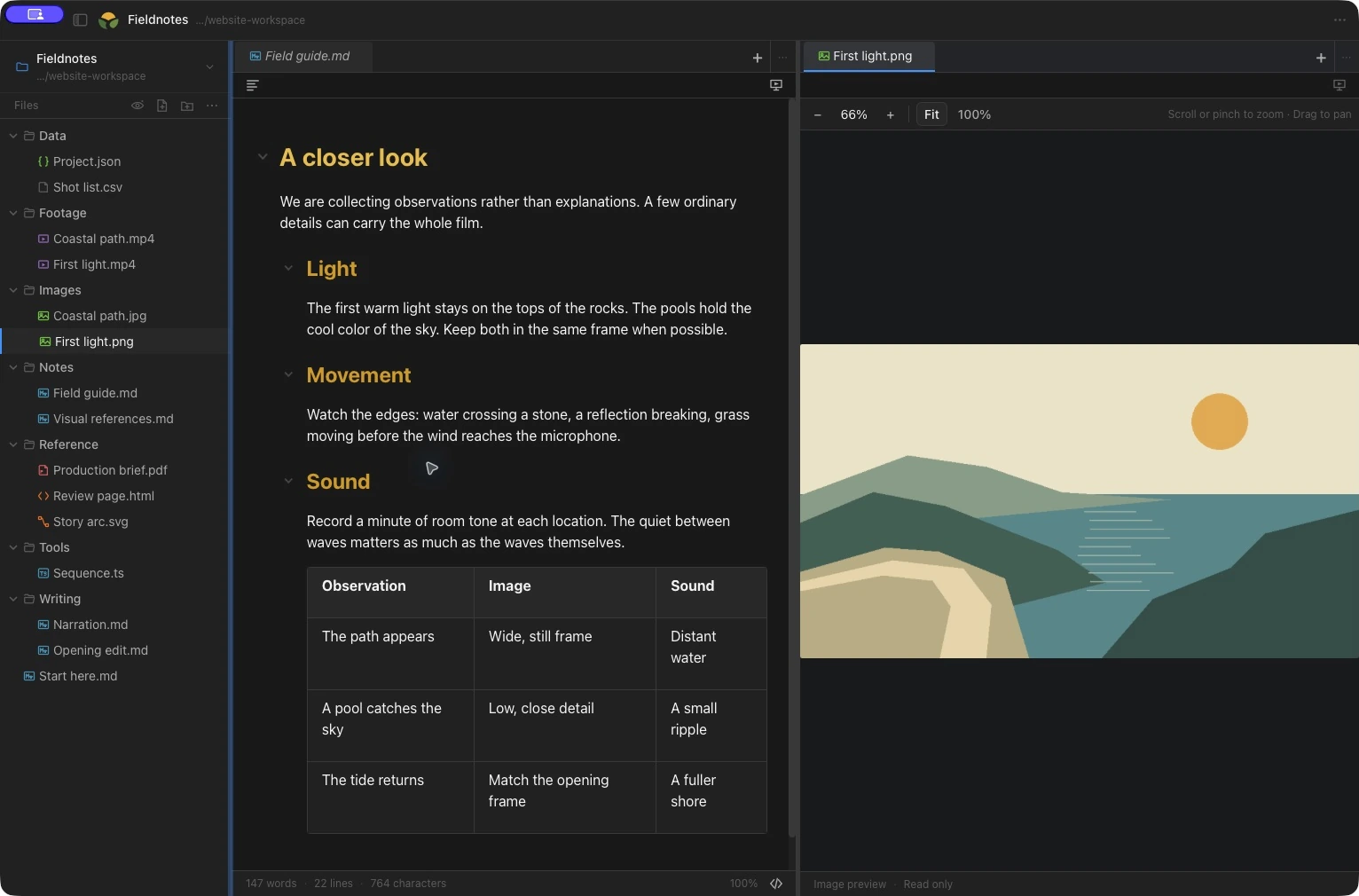
A clearer view of your files
Markdown, your way
Write with visual editing, work directly in Markdown source, or read a rendered preview. Keep the file as Markdown whichever view you choose.
Local folders and tabs
Browse a folder and open the files you need. Move between document tabs, with notes, drafts and reference files close by.
Code, text and JSON
Edit code and plain text with syntax coloring and line numbers. Explore JSON in an expandable tree or work with its source.
Documents, images and media
Use read-only previews for PDFs, DOCX documents, PPTX PowerPoint slides and XLSX, XLS or CSV spreadsheets. Fit, zoom and pan images, or play supported audio and video with playback controls.
Room to compare
Arrange files in split panes or move a tab into a separate window. Keep a reference beside the document you are editing.
A workspace that suits you
Start with the System theme, or choose a palette, type and spacing that feel clear. Your editor and presentation window can share a theme or use different ones.
See the screenshots and the full feature tour
Your files stay on your Mac. Licence keys are checked offline, with no account or analytics.
When it is time to speak
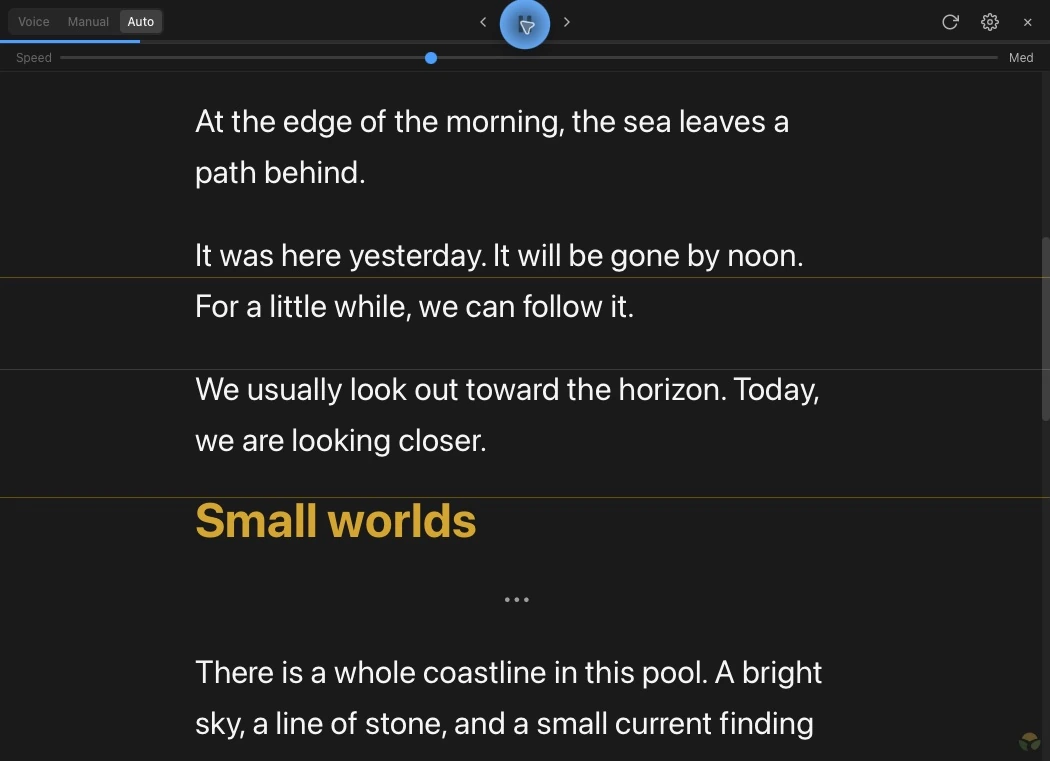
Open a separate presentation window for a talk, rehearsal or recording. Your file workspace stays available while the reading view gets its own text size, position and pace.
Manual, timed or voice-driven
Move through the script yourself, set timed auto-scroll, or let local voice following track your place. Switch modes to suit the take.
Clear reading cues
Word Follow dims words as you read. Add phrase highlighting when you want it, with highlighter, background, outline, underline or glow styles. Adjust the reading line, reading zone, type and spacing around your delivery.
Teleprompter displays
Position the reading window on another display beside your lens. For teleprompter glass, use your display or hardware’s mirroring controls; Glade does not mirror the text itself.
Speech on your Mac
English voice following uses a downloaded local speech model and needs microphone permission. No cloud transcription service is required.
Glade
$6.99 one-time
One complete app. $6.99 once, plus applicable tax, with a 14-day full-feature trial that starts when you choose. No card, account, subscription or automatic charge.
Your personal licence works offline on all your Macs and includes all 1.x updates. Future major upgrades are optional; your purchased version stays usable. After the trial, reader and recovery mode lets you browse, read, copy and recover unsaved work. Purchase unlocks new editing and presentation sessions.
Prior installations keep full access, including future Glade versions.
Paddle handles checkout. Your key will appear here and arrive by email. Lost your key?